Getting started
Welcome to the official guide for gpx.tours! This guide will walk you through all the components and tools of the interface, helping you become a proficient user.
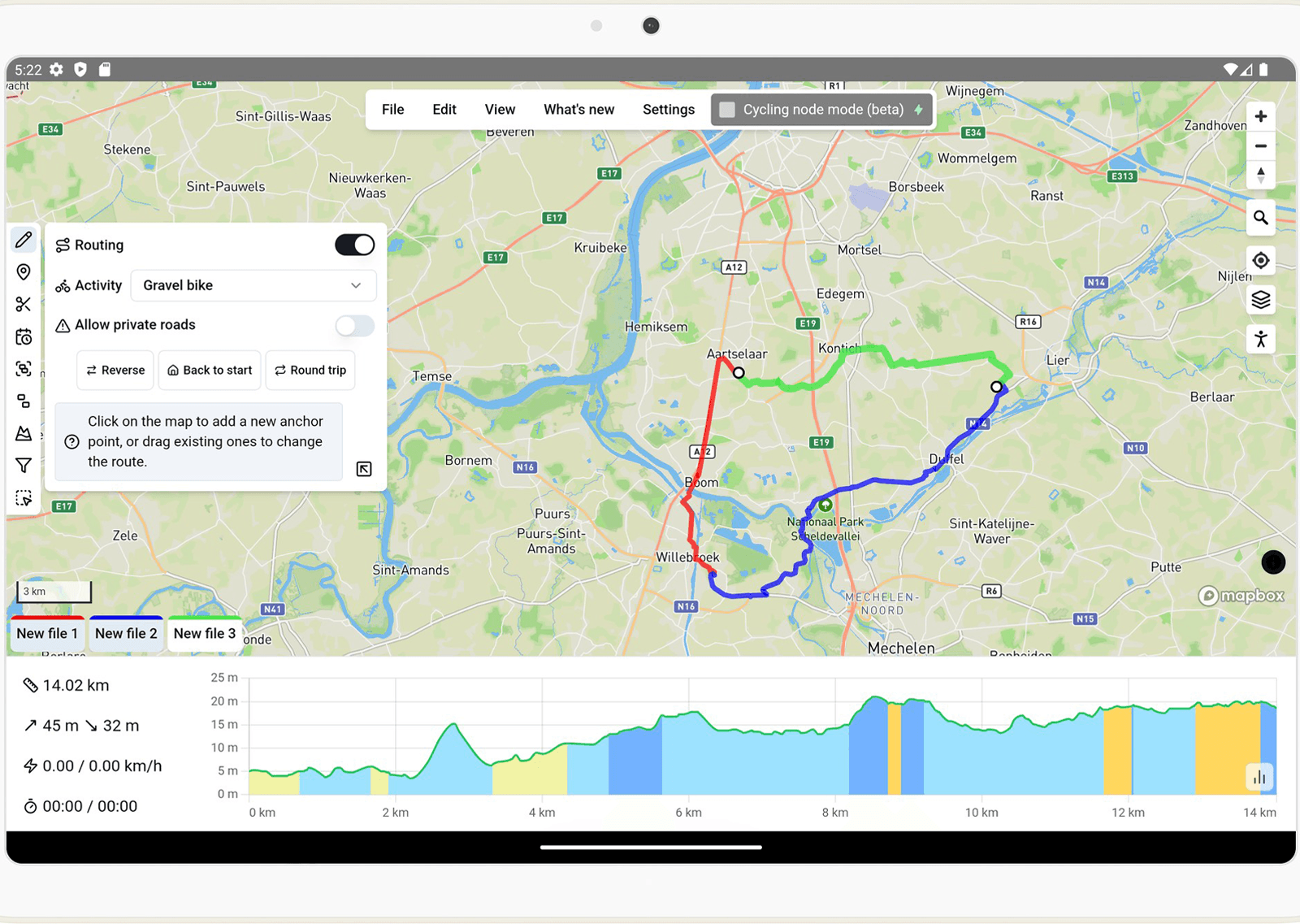
The gpx.tours interface.
As shown above, the interface is divided into four main sections organized around the map. Before we dive into the details of each section, here’s a quick overview.
Menu
At the top of the interface, you will find the main menu. This is where you can access common actions such as opening, closing, and exporting files, undoing and redoing actions, and adjusting the application settings.
Files and statistics
At the bottom of the interface, you’ll find the list of currently open files. Tap or click on a file to select it and view its statistics. In the dedicated section, you’ll learn how to select multiple files and switch to a tree layout for advanced file management.
Toolbar
On the left side of the interface, you’ll find the toolbar with all the tools for editing your files.
Map controls
On the right side of the interface, you’ll find the map controls. These controls let you navigate the map, zoom in and out, and switch between different map styles.